Forms Screen |
  

|
Navigation: »No topics above this level«
Forms Screen |
|
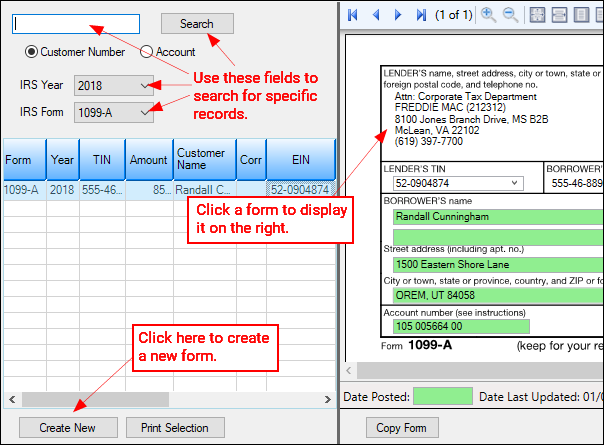
Use the Forms screen in the IRS GOLD system to to search, view, edit, and create IRS forms for customers at your institution. IRS GOLD is a year-end processing tool accessed in CIM GOLD. You can use IRS GOLD to process certain year-end forms that are required by the IRS to be sent to your customers at year-end. To learn more about IRS GOLD (and how to navigate this screen), see the IRS GOLD Overview help page.
IRS GOLD works hand-in-hand with the deposit and loan year-end process. Please review those two manuals in DocsOnWeb for more information:
See the following topics:
GOLD Services > IRS GOLD > Forms Screen

