IRS Deposit Forms |
  

|
Navigation: Forms Screen >
IRS Deposit Forms |
|
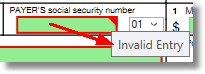
Note: Before you print any IRS forms from IRS GOLD, you must audit each one and make sure there are no errors. Any box highlighted in red indicates that either data must be entered or that the information entered is incorrect. If you hover your cursor over the red box, a pop-up message will appear indicating why the error is there, as shown below:
For a list of all possible mnemonics in the IRS GOLD system, see the IRS Information Returns (IR) section in the Mnemonic Dictionary.
 |
Tip: Please review the Deposit Year-end booklet for important dates IRS forms are submitted by GOLDPoint Systems, as well as options your institution may want to use when submitting forms to the IRS. |
|---|
Foreign Person’s U.S. Source Income
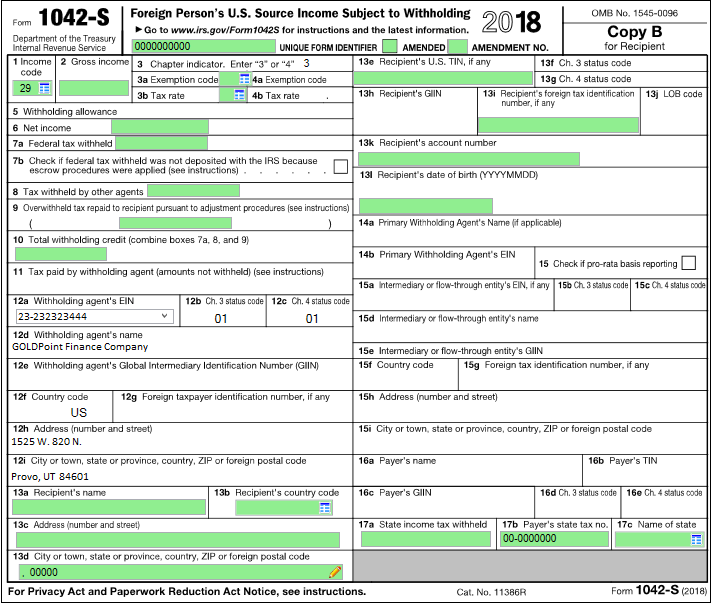
Use this form to report income subject to reporting to foreign persons that are subject to withholding, even if no amount is deducted and withheld from the payment. This includes interest, cancellation of debt, annuities, and pension distributions. Deposit accounts that will earn interest and require a 1042-S form must properly indicate its use by checking the 1042S Form Required box on the Deposits > Account Information > Interest Fields screen > Withholding Information tab in CIM GOLD. If the 1042S Form Required or the W8 Form on File boxes are not checked and the interest is $100.00 or more, a 1099-INT form will be reported for the IRS owner, with a blank Tax Identification number. You are required to print and mail these forms to your customers after year-end by the IRS January 31st deadline.
Note: When the 1042-S is added to IRS GOLD at year-end, there are several required fields that are not populated. You must enter the required data on every form before you print them and mail them to the IRS and customers. If these fields are not properly entered, they will be rejected by the IRS, and you will be billed to resubmit them.
See the following example of the 1042-S form in IRS GOLD:
 Click to expand. |
Interest Income
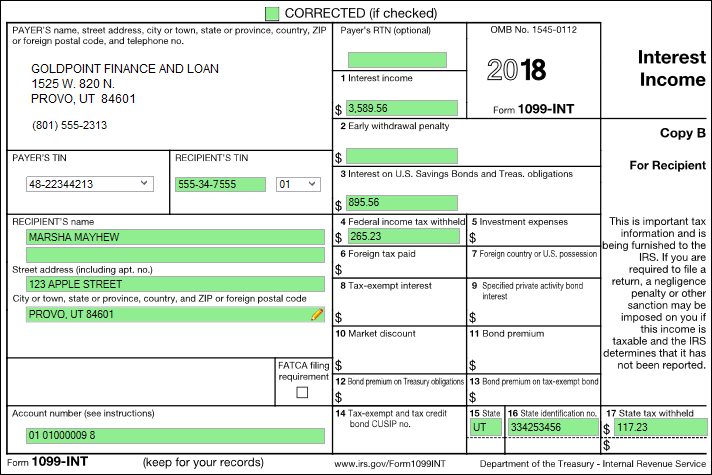
This form is used to report interest paid and withholding amounts for your customers in amounts $10.00 or more per TIN. Substitute 1099-INT forms are automatically created at year-end for all your interest-bearing accounts and are not added to this file. IRS GOLD is used to submit corrections for any errors that are found.
In addition, a 1099-INT will be created in IRS GOLD when the Bond Cashing transaction (tran code 1480-01) is processed and bonds are cashed. Based on the IRS owner entered for the transaction, the form will be added to IRS GOLD and will include the interest amount paid to them. If subsequent bonds are cashed for the same owner, the interest amount will be increased on the existing form. You are required to print and mail these forms to your customers after year-end by the IRS January 31st deadline.
If the Create 1099-INT and/or the Report Late Charges as Interest to IRS field (located on the Loan Assumption screen > Seller Information tab) is selected at the time the assumption is processed, the following information is automatically sent to IRS GOLD: •the seller's name, address, and tax ID; •the amount of interest paid on reserves and/or late charges paid.
This information is sent at the time of the assumption, not at year-end.
See the following example of the 1099-INT form in IRS GOLD:
 Click to expand. |
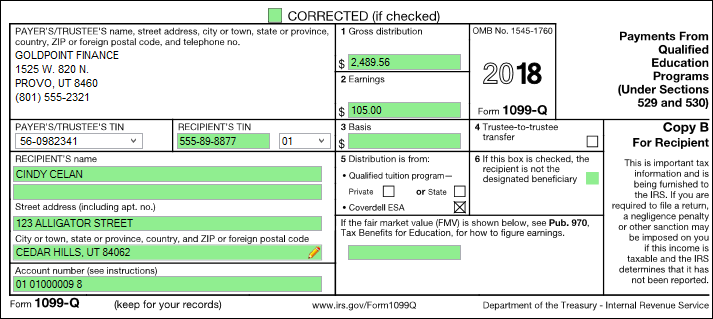
Payments From Qualified Education Programs (ESA) 1099-Q forms list the gross distribution (including in-kind distributions) paid this year from a qualified tuition program or a Coverdell ESA. 1099-Q forms are automatically created at year-end for all your ESA accounts and are not added to the IRS GOLD file. IRS GOLD is used to submit corrections for any errors that are found.
See the following example of this form:
 Click to expand. |
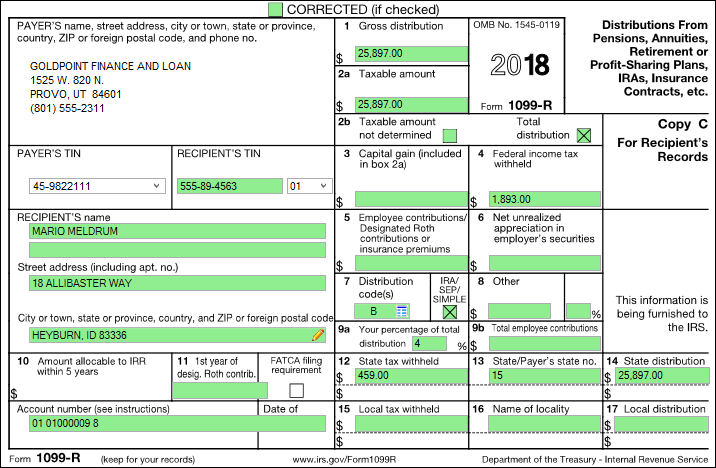
Distribution from Pensions, Annuities, Retirement or Profit Sharing Plans, IRS, Insurance, Contracts, etc. 1099R forms are created for retirement accounts with distributions in the current year. A separate 1099R is created for each distribution type. GOLDPoint Systems will print the 1099R forms on laser. GOLDPoint Systems will create two forms for customers with withholding, and make one additional copy for your institution. Your institution's phone number will also be included on this form. Qualified plans will be on a separate form. Copy C must be given to your customers. An additional Copy B is required if federal or state withholding was assessed on distributions. 1099-R forms are automatically created at year-end for all your retirement accounts and are not added to the IRS GOLD file. IRS GOLD is used to submit corrections for any errors that are found.
See the following example of this form:
 Click to expand. |
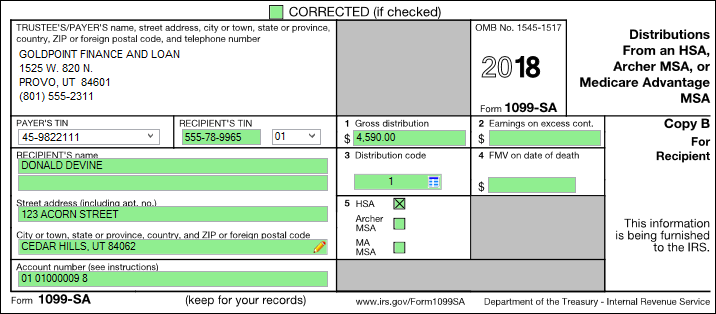
Distribution From HSA, Archer MSA, or Medicare Advantage MSA This form is used to report distribution taken from HSA plans. 1099-SA forms are automatically created at year-end for all your HSA retirement accounts and are not added to the IRS GOLD file. IRS GOLD is used to submit corrections for any errors that are found.
See the following example of this form:
 Click to expand. |
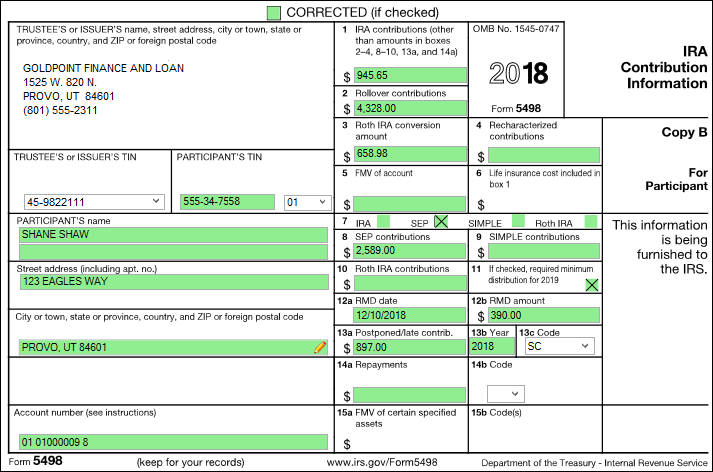
IRA Contribution Information This form is used to report contributions, rollovers, and conversions to any IRA, SEP, Simple, and Roth IRA accounts/plans. 5498 forms are automatically created at year-end for these types of plans and are not added to the IRS GOLD file. IRS GOLD is used to submit corrections for any errors that are found.
 Click to expand. |
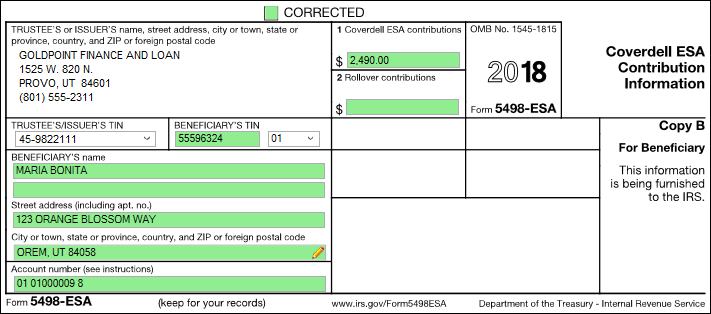
Coverdell ESA Contribution Information This form is used to report contributions, including rollovers, on ESA accounts. 5498-ESA forms are automatically created at year-end for all your ESA accounts and are not added to the IRS GOLD file. IRS GOLD is used to submit corrections for any errors that are found.
 Click to expand. |
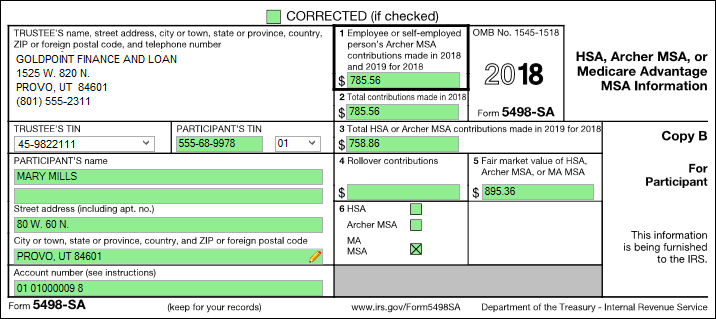
HSA, Archer MSA, or Medicare Advantage MSA Information This form is used to report contributions to HSA, Archer MSA, or Medicare Advantage MSA accounts. 5498-SA forms are automatically created at year-end for all your HSA accounts and are not added to the IRS GOLD file. IRS GOLD is used to submit corrections for any errors that are found.
 Click to expand. |


