New Field on Budget Screen |
  

|
Navigation: GOLDTrak PC What's New > GOLDTrak Version 7.8.28 - 7.8.39 >
New Field on Budget Screen |
|
CMP: 6945
New PTI fields have been added to the Budget screen, which is a pop-up screen accessed by clicking the <Budget> button on the Consumer Application screen. (Your GOLDPoint Systems account manager will need to enable this functionality if you want it in your loan programs.)
The Budget screen gives a quick overview of the applicant's budget before and after the loan is opened. It helps applicants get a better view of their financial situation and how a new loan will effect their overall budget.
The PTI field shows the payment-to-income ratio, as shown below:
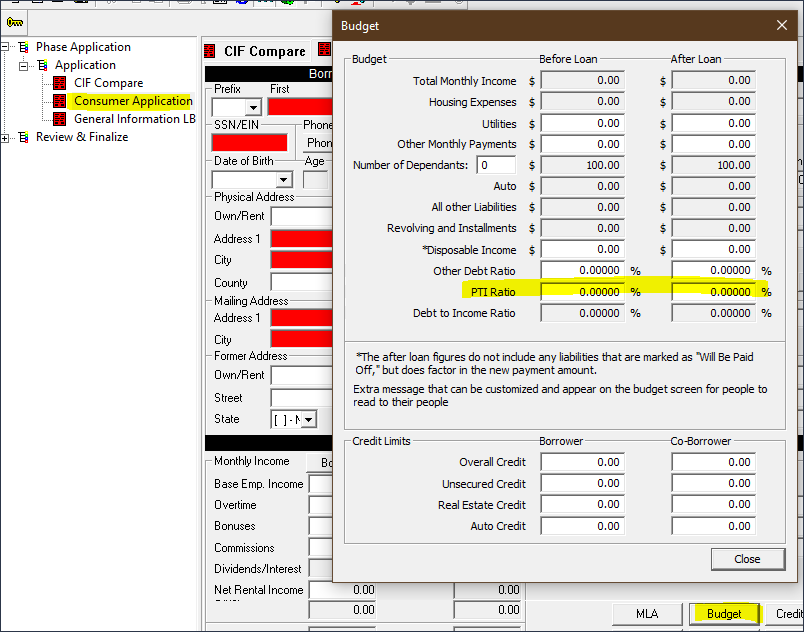
Consumer Application Screen > then click <Budget>