New Security Bit for Approving Loans Out of State |
  

|
Navigation: GOLDTrak PC What's New > GOLDTrak Version 7.8.28 - 7.8.39 >
New Security Bit for Approving Loans Out of State |
|
CMP: 3339
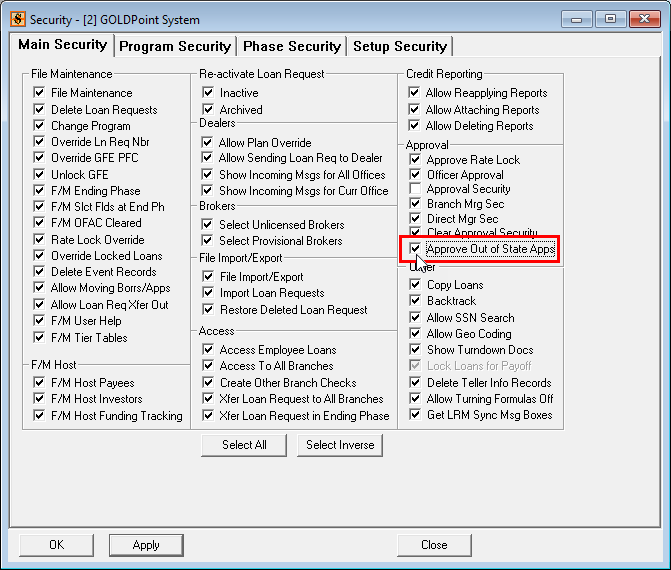
You can now restrict or allow users in a group to approve applications from a different state than the office resides. If a user does not have access to approve out-of-state applications, they will receive an error message when the user attempts to approve the application.
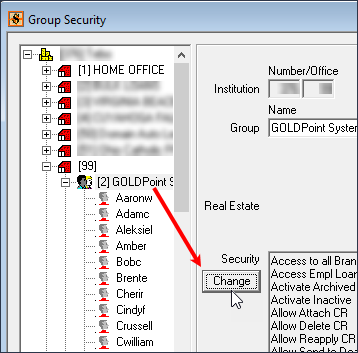
To set up this new security bit, access GOLDTrak PC Setup > Institution Setup > Security Groups screen. Scroll down the list of offices until you find the group you want to allow or restrict out-of-state applications.
Select the group, as shown below, then click <Change>.
When the Security screen for that screen appears, check (or uncheck) the Approve Out of State Apps box, as shown below.