The ACH Accounts (FPEA) tab on the Payment Information screen displays any ACH accounts that have been set up for this account. ACH accounts are already added when a recurring payment is made. Additionally, any time you add an external account for this account using the External Accounts link from many screens in CIM GOLD (including at the bottom of this tab), that account information is added to this tab.
The list view on this screen displays the name on the account, the routing and account number of the account where the ACH payment is withdrawn, and whether or not this ACH account is a savings account.
You can select a different name tied to this account using the Name field at the bottom of this screen. When you select a different name (as tied together on the Customer Relationship Management > Households screen), any external accounts for that person will be displayed.
See the following example of this tab:
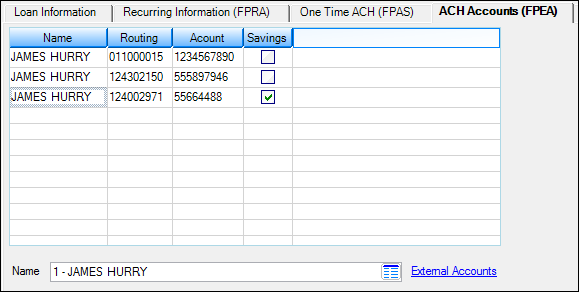
Loans > Account Information > Payment Information Screen, ACH Accounts (FPEA) Tab